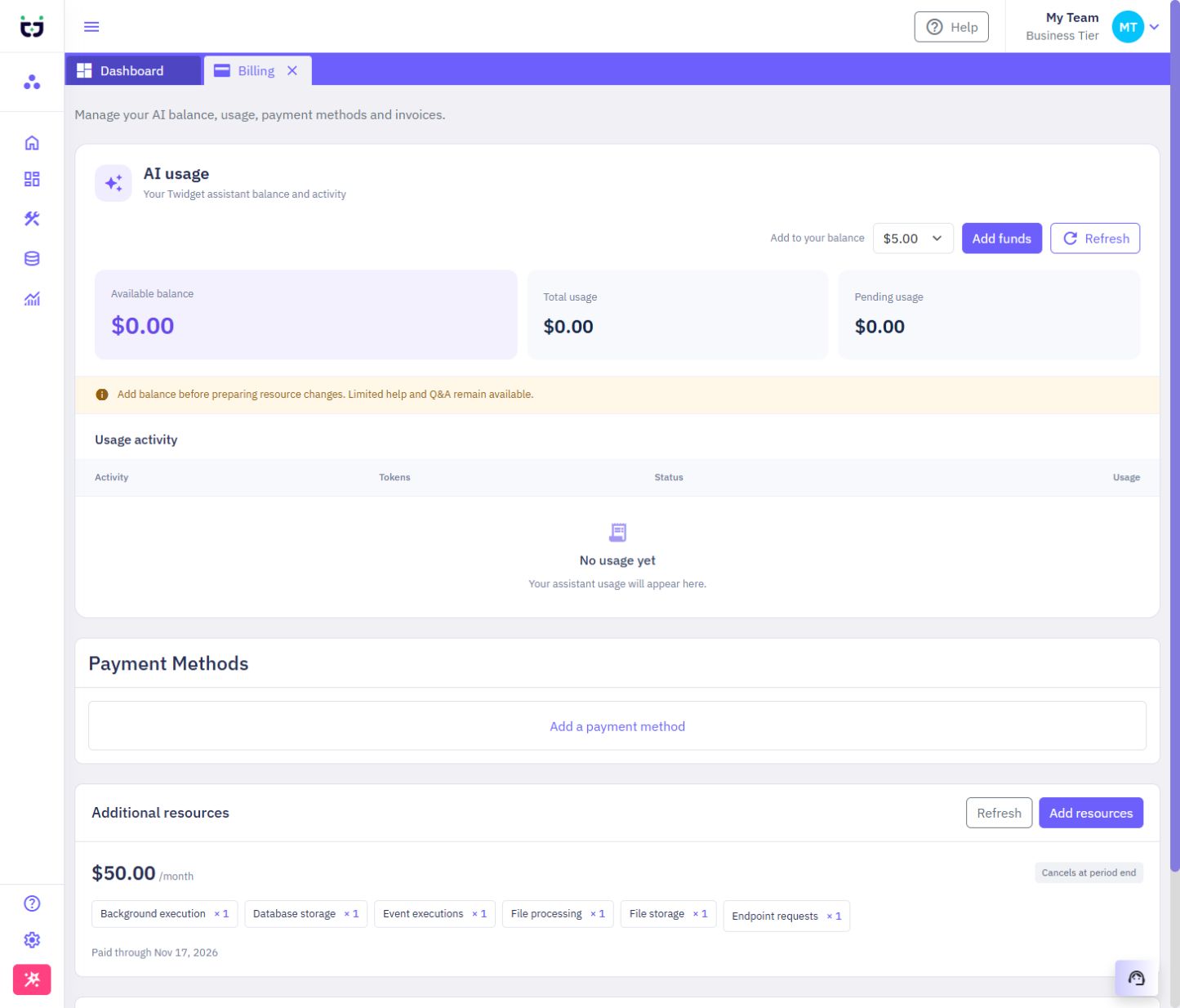
Buy extra capacity for your organization from Billing → Additional resources. Packs are optional monthly subscriptions alongside your existing plan. Business customers can buy packs without changing plans.
| Resource pack | Extra allowance | Monthly price (USD) |
|---|---|---|
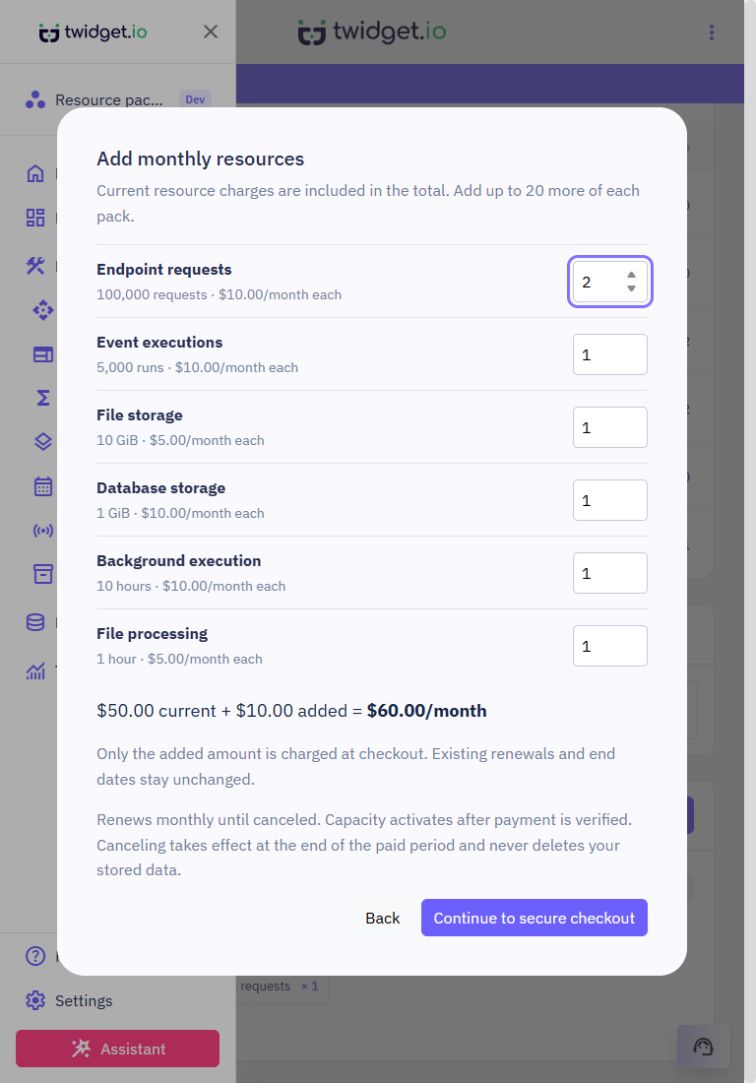
| Endpoint requests | 100,000 requests | $10 |
| Event executions | 5,000 runs | $10 |
| File storage | 10 GB | $5 |
| Database storage | 1 GB | $10 |
| Background execution | 10 hours | $10 |
| File processing | 1 hour | $5 |
Storage packs use 1,024-based units: 1 GB in the pack selector means 1 GiB (1,073,741,824 bytes). Packs increase organization allowances shared across its workspaces. They do not add workspaces, seats, simultaneous runs, larger files, faster processing or provider/AI credit.
Select the organization you want to expand.
Open Billing and find Additional resources.
Choose Add resources. The organization owner chooses the quantities and reviews the monthly total. Existing paid quantities are prefilled and cannot be reduced here. Increase a quantity to buy only the difference. Other members can view packs but cannot buy or cancel them. Free organizations need a paid plan first.
If prompted, open Billing and add a payment method. Lifetime customers can do this without changing their lifetime plan.
Continue to the secure payment page. Review the recurring charge and complete payment.
Return to Billing and choose Refresh. Capacity becomes available only after payment is verified. A return from the payment page alone does not mean payment succeeded.
When packs already exist, the selector shows the current monthly price plus the added monthly price and their combined total. Checkout charges only for the added packs; existing renewal and end dates remain unchanged. With no existing packs, it shows a single price.
If payment is pending or checking fails, choose Refresh to verify the existing order before starting another purchase. Starting another order can create another monthly subscription. Packs never cause automatic overage purchases.
For example, Business plus one request pack and one file-storage pack provides 600,000 requests and 30 GB of file storage for $105/month at the standard monthly Business price. The pack order adds $15/month to the base plan; it does not replace that plan. If several packs cost more than upgrading, compare the next plan before buying.
Packs renew monthly. Request, event and execution allowances do not roll over. Buying a pack does not clear usage already recorded in the organization's current allowance period. A pack's own paid dates determine when its extra capacity is available; the base allowance period remains unchanged.
Choose Cancel on the pack order and confirm. Cancellation stops renewal at the end of the paid period. The paid capacity remains available until then. An order containing multiple pack types is cancelled together; other orders and the base plan remain unchanged.
Cancellation never deletes customer files, database records or saved workflows. If usage exceeds the remaining allowance after expiry, free space or buy more capacity before operations that require it. Execution and queue safety limits still apply. Storage capacity does not include an extra download-bandwidth allowance.
If a renewal is unpaid, extra capacity ends when its last verified paid period expires. Refresh verifies payments for the owner and reloads the resource list. Members can refresh the list without changing billing. Do not assume a processing payment has extended capacity.
Lifetime plans and redeemed deals keep their existing benefits. Buying or cancelling a pack does not replace a lifetime plan, change its renewal date or introduce new restrictions on existing workflows. Only the optional pack is billed monthly. Existing unlimited allowances remain unlimited.
Packs are offered only for resources with a finite allowance. Protected organizations that already retain unrestricted request, background-execution or file-processing allowances do not need to buy those packs. Their finite storage and event allowances can still be expanded.
Organization limits
Your organization shares its plan allowances across its workspaces. A test suite allowance applies separately to each workspace. Existing organizations and lifetime plans. Existing organizations keep their current allowances. The new allowance policy applies to newly created organizations; existing ...
Usage warning emails
Paid and lifetime organization owners can buy [additional resources](/docs/billing/resource-packs) when more capacity is needed. Verified active packs increase the allowance used for warning thresholds; buying a pack does not reset recorded usage. Twidget emails your organization owner when usage re...
Billing
Open Billing to manage payment methods, your subscription, invoices and your organization's AI balance. AI usage and allowances. AI usage shows your available dollar balance, pending usage and completed usage charges. Activity lists token counts and the Twidget usage amount; model names and rate tab...

