Your organization shares its plan allowances across its workspaces. A test suite allowance applies separately to each workspace.
Existing organizations keep their current allowances. The new allowance policy applies to newly created organizations; existing organizations are not automatically moved onto it.
Lifetime plans and redeemed deals keep their existing access, including saved workflows and connections. No data is deleted when an allowance is reached.
| Allowance | Free | Basic | Standard | Business |
|---|---|---|---|---|
| Test suites in each workspace | 1 | 5 | 10 | 25 |
| Endpoint requests in each monthly period | 500 | 30,000 | 100,000 | 500,000 |
| Background execution seconds in each monthly period | 0 | 3,600 | 18,000 | 72,000 |
| Advanced file processing seconds in each monthly period | 60 | 600 | 1,800 | 3,600 |
These allowances do not change prices, storage allowances, workspace counts or team seats. All tiers retain shared safety limits for execution time, queues and file sizes. Upgrading an allowance does not add worker concurrency.
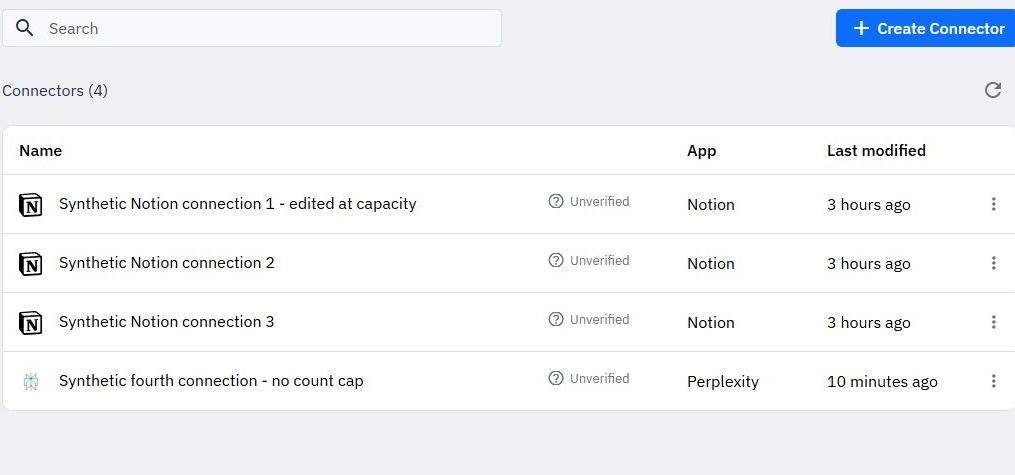
There is no new saved-connection count cap on any tier. Creating, reconnecting, renaming and using saved connections remain available. Review any workflows using a connection before removing it.
Each saved test suite uses one workspace slot. Reaching the limit does not remove saved suites or prevent opening, editing or running them. Existing suites remain accessible if a plan change leaves the workspace above its new creation allowance.
Admitted real endpoint requests share the organization's monthly request allowance. A request that starts and later fails or times out still uses one request. Missing endpoints, rejected authentication and preflight checks do not use the allowance. Editor tests do not use that request allowance. Customer-defined API rate limits are separate and can reject a request earlier.
Background jobs use an execution-time budget. Each real attempt, including a retry or a nested job, needs enough remaining budget before it starts. Test jobs retain their separate safety limits and do not consume the paid background execution allowance.
Advanced file processing has its own time budget, shared by image, PDF and spreadsheet commands. Both editor tests and real executions use this budget on new-policy organizations. The requested time is reserved before processing starts. Confirmed completion releases unused reserved time; interrupted work can retain its reservation when termination cannot be confirmed. This prevents simultaneous runs from spending the same remaining allowance.
The monthly period follows the organization's allowance anniversary in UTC, including the original time of day. Periods ending on shorter months use the month's last day. Changing the tier within the same allowance period changes the limit without clearing its recorded usage. Starting a paid subscription can establish a new billing-period anchor.
If the remaining allowance cannot cover a new execution, Twidget returns an actionable limit error instead of starting it. Already saved resources stay available. Review the limit named in the error before upgrading or waiting for the next period.
Additional resources
Buy extra capacity for your organization from Billing → Additional resources. Packs are optional monthly subscriptions alongside your existing plan. Business customers can buy packs without changing plans. Prices. Resource packExtra allowanceMonthly price (USD)Endpoint requests100,000 requests$10Eve...
Usage warning emails
Paid and lifetime organization owners can buy [additional resources](/docs/billing/resource-packs) when more capacity is needed. Verified active packs increase the allowance used for warning thresholds; buying a pack does not reset recorded usage. Twidget emails your organization owner when usage re...
Billing
Open Billing to manage payment methods, your subscription, invoices and your organization's AI balance. AI usage and allowances. AI usage shows your available dollar balance, pending usage and completed usage charges. Activity lists token counts and the Twidget usage amount; model names and rate tab...

