Action Stats gives Twidget administrators a history of endpoint calls and event runs. It is an admin tool, rather than a workspace feature available to every team member.
Open Action Stats in the admin sidebar. Filter by workspace, organization, action type, test or real call, result, status code, date, duration or timeout. Advanced filters help you find a particular action, trace, stage or operation.
This example filters a development workspace's calls by response code 401.
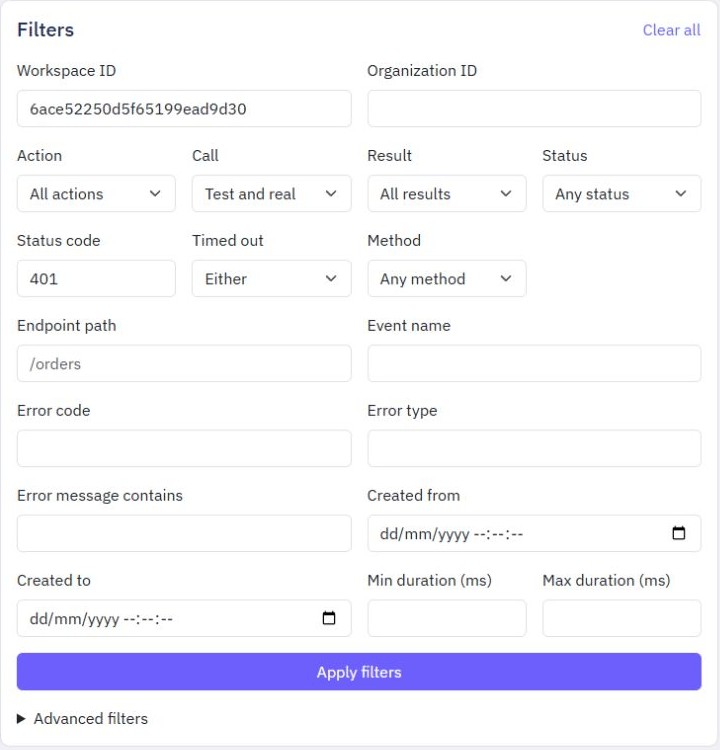
Select Apply filters. Select a table heading to change sorting; its arrow shows the direction. The default is newest created date first. Use the page controls to move through results.
Select a row to expand it. You can review the duration, timestamps, workspace and organization IDs, endpoint path or event name, result, error information and timeout details.
You can also focus a row with Tab and press Enter to expand or collapse it. On a narrow screen, scroll the table sideways to reach the other columns. The filters and page controls stay outside the table's scroll area.
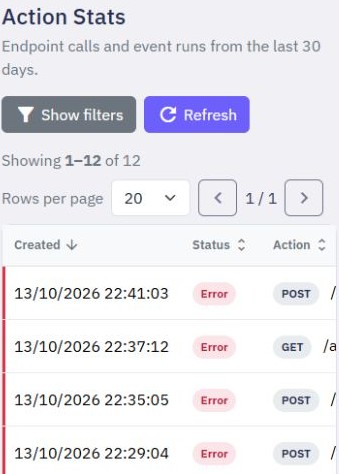
The narrow-screen example below shows a filtered list of errors. Scroll within the table to reach the other columns.
A successful acknowledgement for an event does not mean the event itself succeeded. Its recorded result reflects the background execution.
Action Stats entries are kept for 30 days and then cleared automatically.
Unmatched request means someone called a path that did not match an endpoint. Automated scanners often try PHP or WordPress paths even when your workspace has no endpoints. These requests are hidden by default. Enable Show unmatched requests and apply the filters to include them when investigating. Clear all hides them again. They remain stored in history, but confirmed unmatched traffic is excluded from endpoint activity, error-rate charts and applicable request-usage calculations.
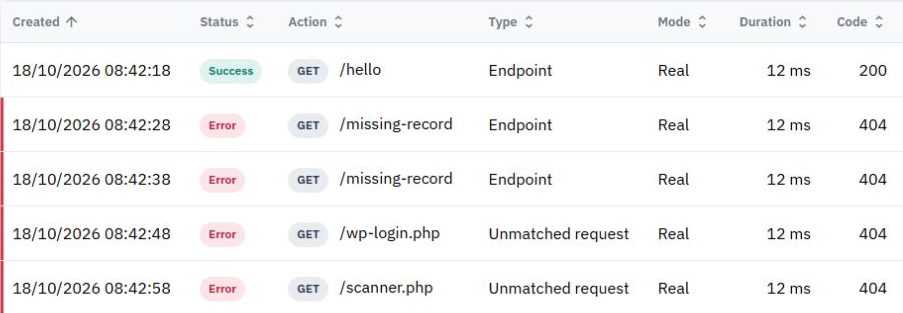
This synthetic example keeps genuine endpoint 404 responses beside unmatched PHP-path requests, with different type labels.
A real endpoint that returns 404 still counts as an endpoint call. Older records are separated only when Twidget has enough information to confirm that no endpoint matched; an HTTP status code alone is not enough.
What is an API
An API (Application Programming Interface) is a set of rules and protocols that allows different software applications to communicate and interact with each other. It defines the methods and data formats that applications can use to request and exchange information, services, or functionalities from...
Response Settings
You can customise the successful response from an endpoint, including its status code and additional headers. Configure a response. 1. Open the endpoint and its Output editor. 2. Select RESPONSE. 3. Choose a status code or select a variable from the commands section. 4. Add a response-headers object...
Authentication
Twidget supports Bearer Authentication to ensure secure access to your endpoints. You can specify which endpoints should be secured or open. Once secured, an endpoint can only be accessed using a valid Bearer Token, which is generated via our API. Additionally, we provide functionality to generate a...
Endpoint Basics
An endpoint refers to a specific URL (Uniform Resource Locator) that a client can access to interact with the API and perform various operations. Endpoints act as gateways that allow clients (such as web or mobile applications) to communicate with the server hosting the API and perform actions like ...
Custom Endpoints
In addition to generating CRUD (Create, Read, Update, Delete), authentication, and file management endpoints, Twidget allows you to create completely custom endpoints from scratch. These custom endpoints give you full control over the various aspects of endpoint configuration, including the inputs, ...

